content producer.
Demo Reel
CASE STUDY 1: PAINTING PROCESS REEL SERIES
Brief: Create a series of reels showcasing an Artist’s painting process and establish a content pillar for their Instagram and Facebook audiences
CONCEPT DEVELOPMENT
After discussions on the types of content I can create for the client, we decided to try a couple quick and easy proof of concept videos to gauge their audience’s reaction. We created two reels using just a static iPhone shot, sped up with some music. Both reels performed significantly better than anything else they had been posting.
Test Reel 1
Test Reel 2
The strong response from their audience led the client to request more videos and we decided to take the concept further. Once a decision was made we switched to a mirrorless camera with a prime lens for better quality footage and a shallow depth of field with a pronounced bokeh effect.
As an artist myself that follows a lot of art accounts, I realised that the painting process videos that get the best results, and that I’m drawn too, are not time lapse/accelerated. Rather they are real time footage edited with hard cuts timed to the music. Therefore this was the approach taken with the following videos.
DELIVERABLES
These videos were shot on the mirrorless camera with a prime lens and edited in Adobe Premiere Pro. Stock music was carefully selected to set the vibe. For example summer pop for the colourful flowers and romantic soulful jazz for the vase of roses. The video was cut to the music.
The response from their audience was overwhelmingly positive. Particularly for the vase of roses video which did approximately 5x their usuals views. The client advised that almost every time a customer returns to the gallery to make a purchase after doing some research, they mention this video.
CASE STUDY 2: LOGO MOTION for ai video campaign
Brief: An Artist/Gallery Owner requested that their paintings be brought to life using AI as an experiment
Result: A campaign of 30 visuals for a large screen/billboard in the gallery that can be repurposed as advertisements for socials when combined with a logo animation
CONCEPT DEVELOPMENT
A variety of Image to Video AI models were tested in Figma Weave. Seedance was selected as the results were far more superior than any other model. After seeing the results below I had an idea to generate an environment that matches the aesthetics of the painting and used the compositing tool in Figma Weave to place the painting in the environment, before generating another video which pans into the painting. Along with an AI generated voice narrating a tagline I wrote.
Raw AI Output
Composited into an environment image then regenerated with Seedance
While the results were interesting I realised it could be significantly improved by building a 3D environment in Unreal Engine then using a media texture on a plane to play the painting video. Enabling control of the lighting and camera movement.
This was followed by an idea for some logo animation which was created in Adobe After Effects by masking and animating the mask’s path so it reveals the logo in sync with a paint swipe stock video. Paint swipe sounds were added for effect. I then wrote the final copy and sourced a human to do the voice over, turning it into a polished advertisement ideal for socials. Seedance unexpectedly generated the bird and water sounds and they were left in because it fit well.
Deliverables
A few of the AI paintings in 3D environments were created and posted on Instagram and Facebook. As were some 9:16 AI videos of their portrait/vertical paintings, with just the logo swipe animation and some music. These were provided without sound so we could pair them with any desired music in Instagram’s editor, which was automatically shared to FB when posted.
The 9:16 AI videos with logo animations performed significantly better than the 3D environment videos. This led to the client ordering 30 paintings to be animated in this style for a large screen in their gallery that they place by their window to draw in customers. The logo motion was placed on the end of individual videos that were posted to socials as product ads. A few of my favourites are below.
CASE STUDY 3: AI PRODUCT VISUALISATION
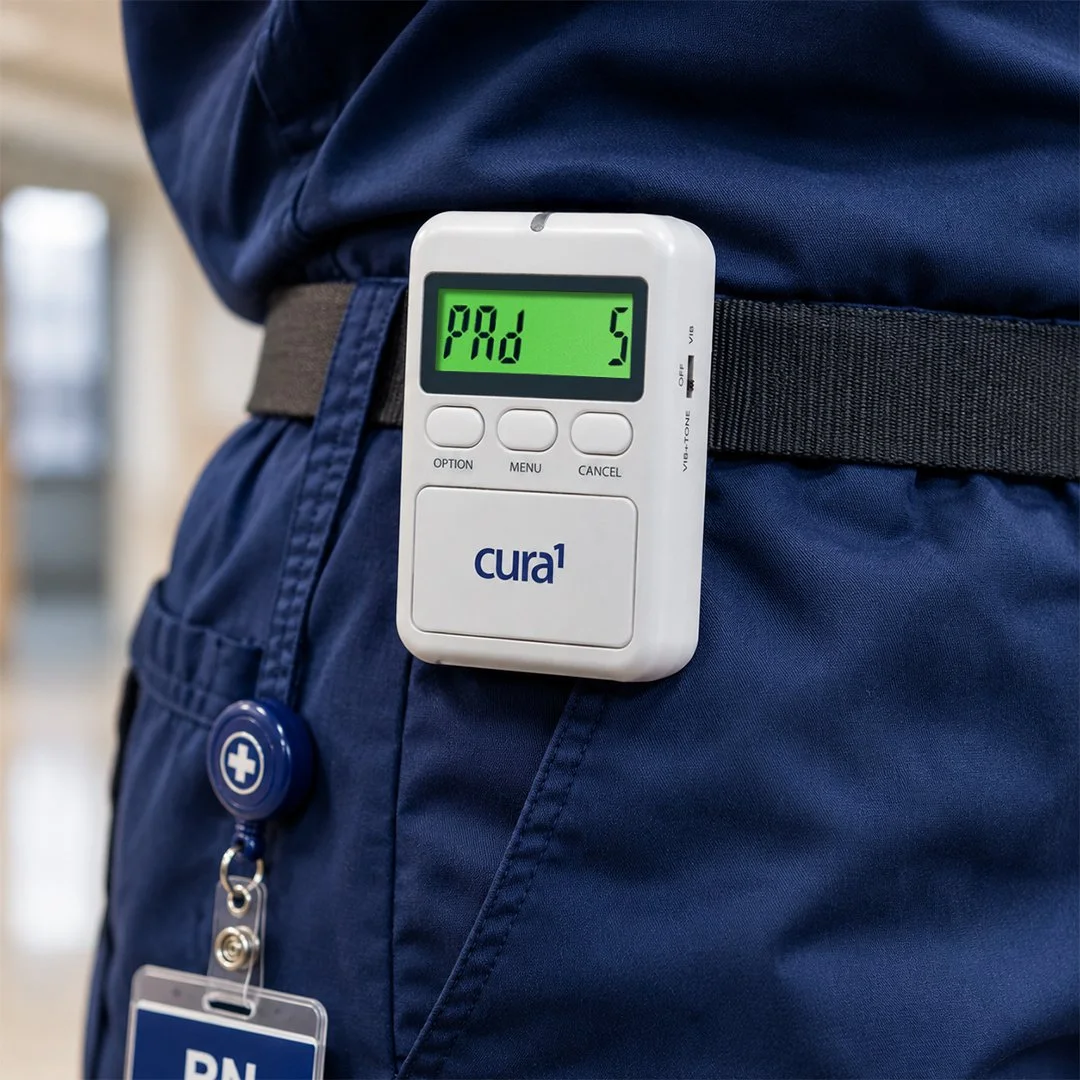
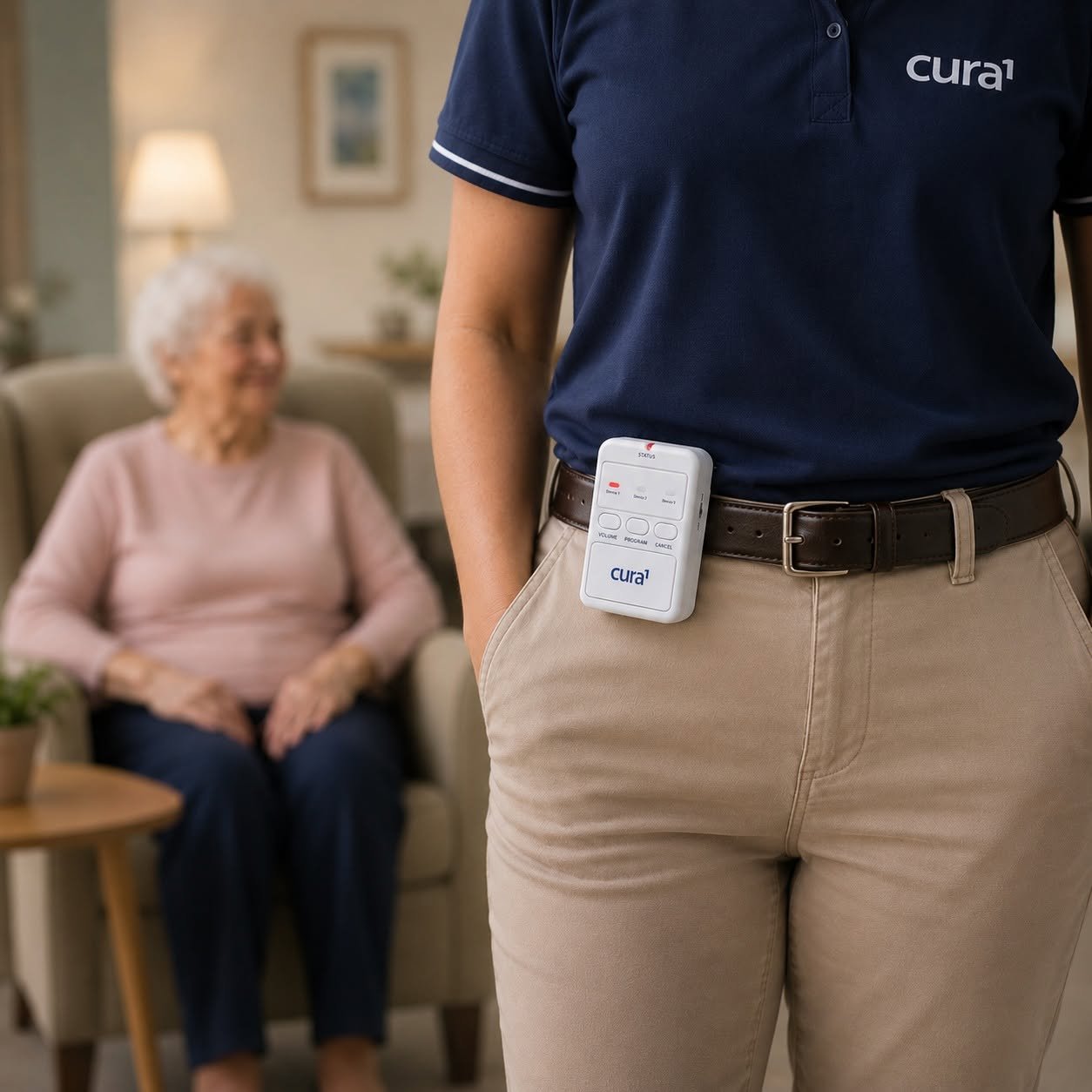
Brief: Create a series of images for social media which visualise various med-tech devices within their intended environments. Providing visual context for potential customers and helping to address a common problem for the company being that people sometimes struggle to conceptualise what their products do and how they offer solutions.
tools
The company’s end-users (hospitals, aged care homes etc.) are unlikely to give permission for a product ad to be shot in their facilities. Replicating these environments (building sets, hiring actors, sourcing costumes) is too resource intensive to be practical. Therefore, generative AI was explored as it opened a world of possibilities deviating from the usual “product in white space” that every medical company presents their products in.
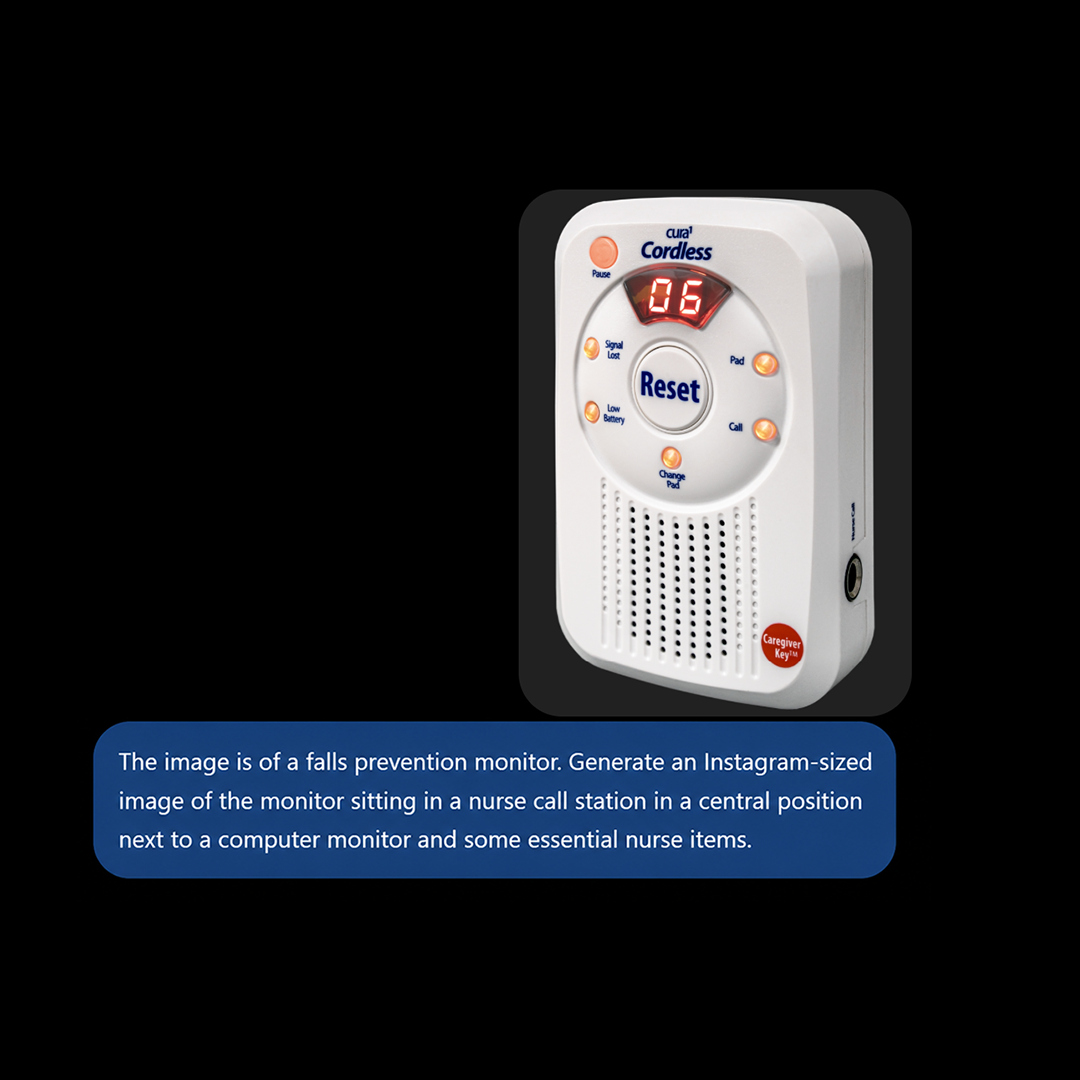
ChatGPT was chosen as its latest image generation model is the only one so far that has been able to recreate the products without distorting the device (e.g adding buttons or random features to the design) and/or changing the text on the device to gibberish. A product photo from the companies asset library was provided to the AI. 4 simple prompts were needed initially to achieve the following example.
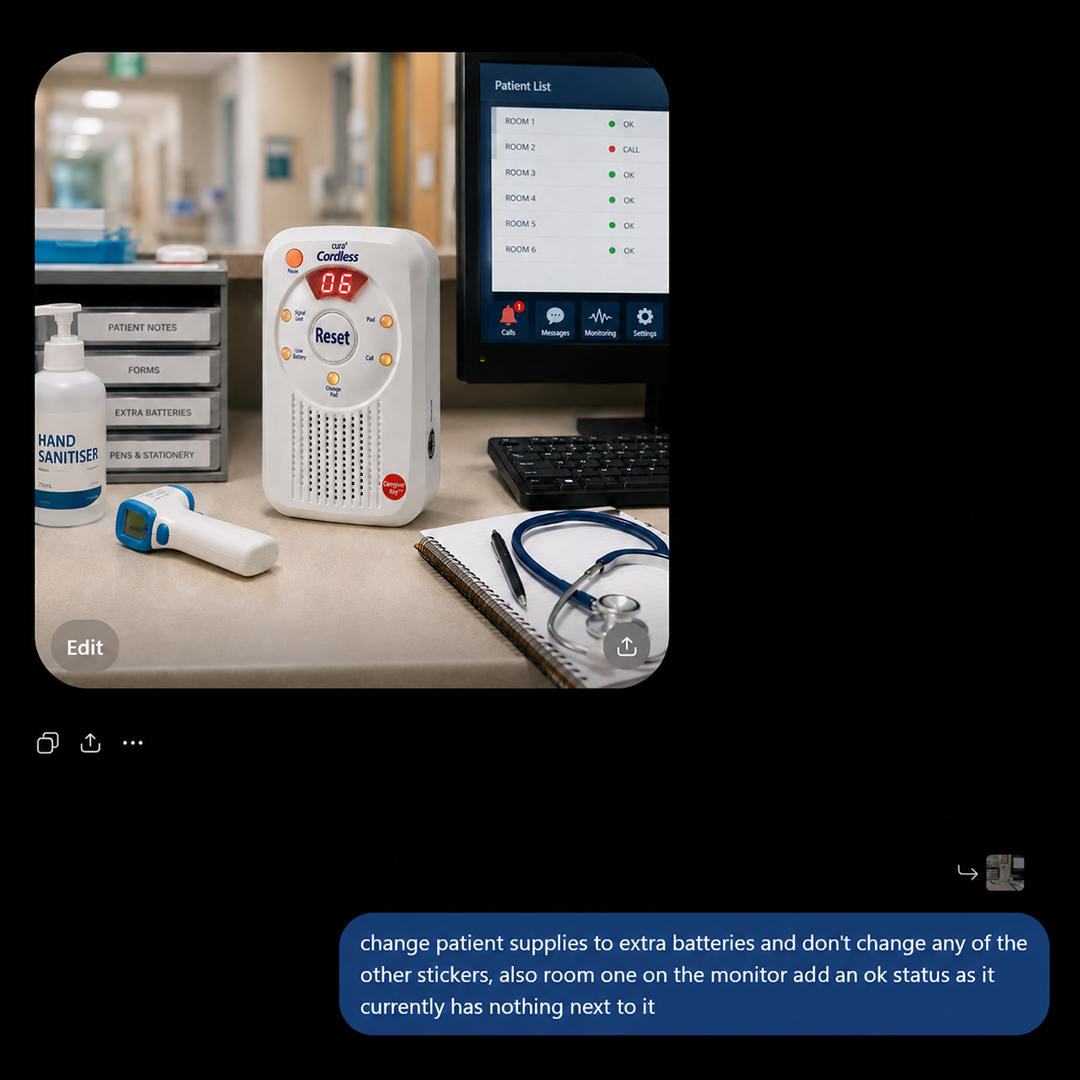
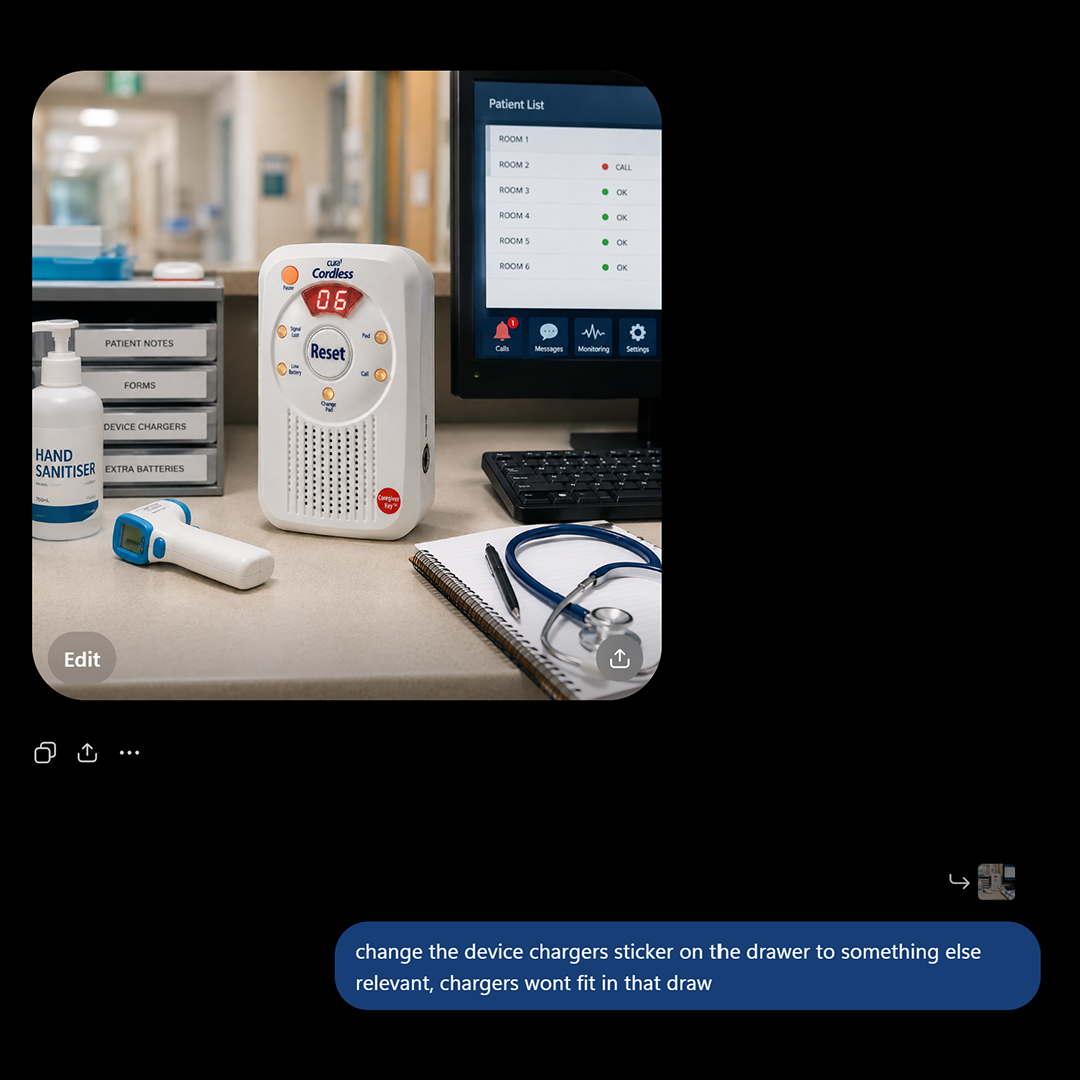
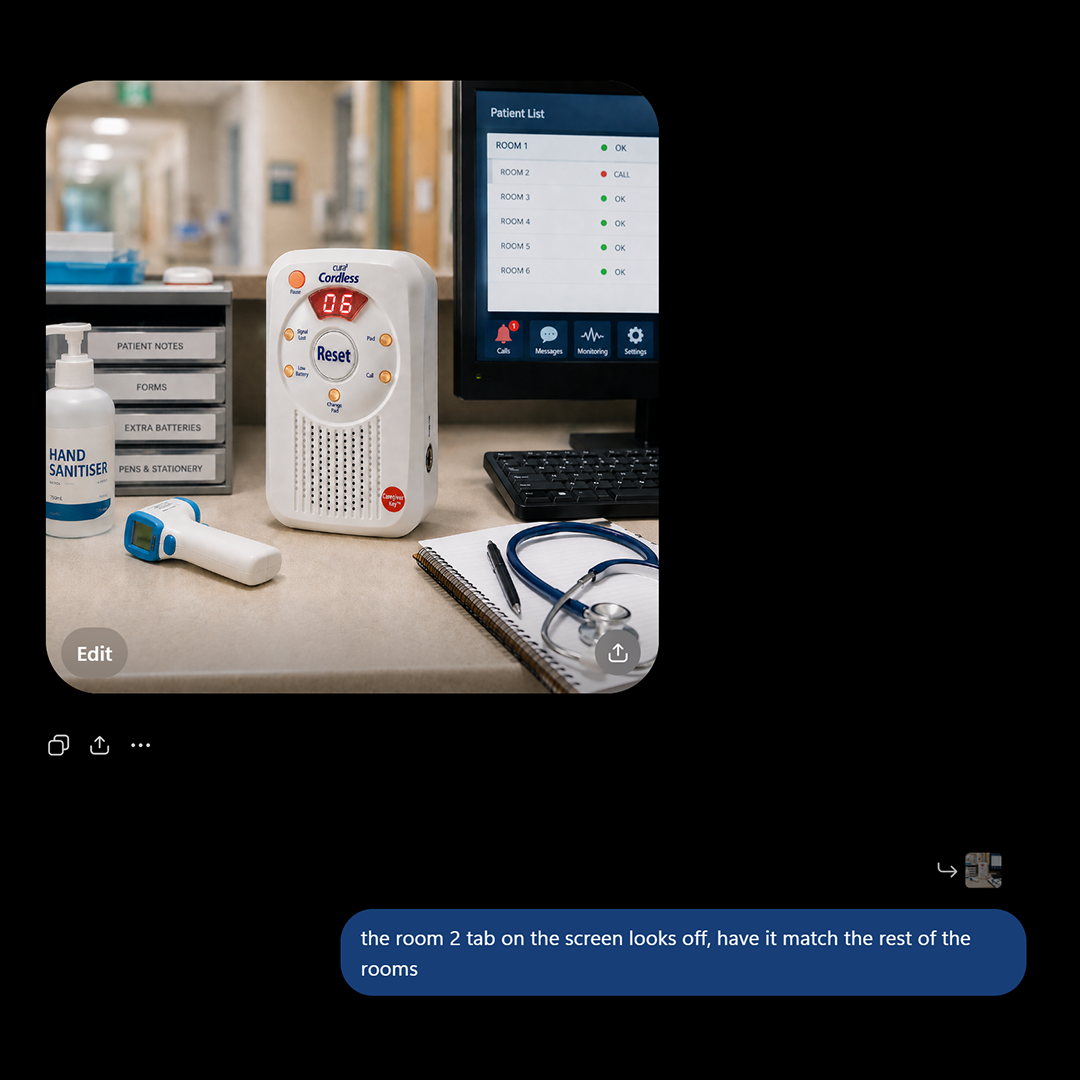
FInal Edit
The raw image below was the final generation. However, it had gibberish text on the hand sanitizer bottle and a weird artifact on the digital thermometer screen. These make it obvious the image was created with AI which is undesirable.
Further prompting had a significant risk of changing other elements of the image, regardless of directing it not to. Therefore, the image was taken into Photoshop to fix the issues as it was also quicker than trying to explain these subtleties to the AI.
The clone stamp was used to brush over the gibberish text. Then I colour picked the green of the thermometer screen, created a rectangle and used the warp tool to fit it in place.
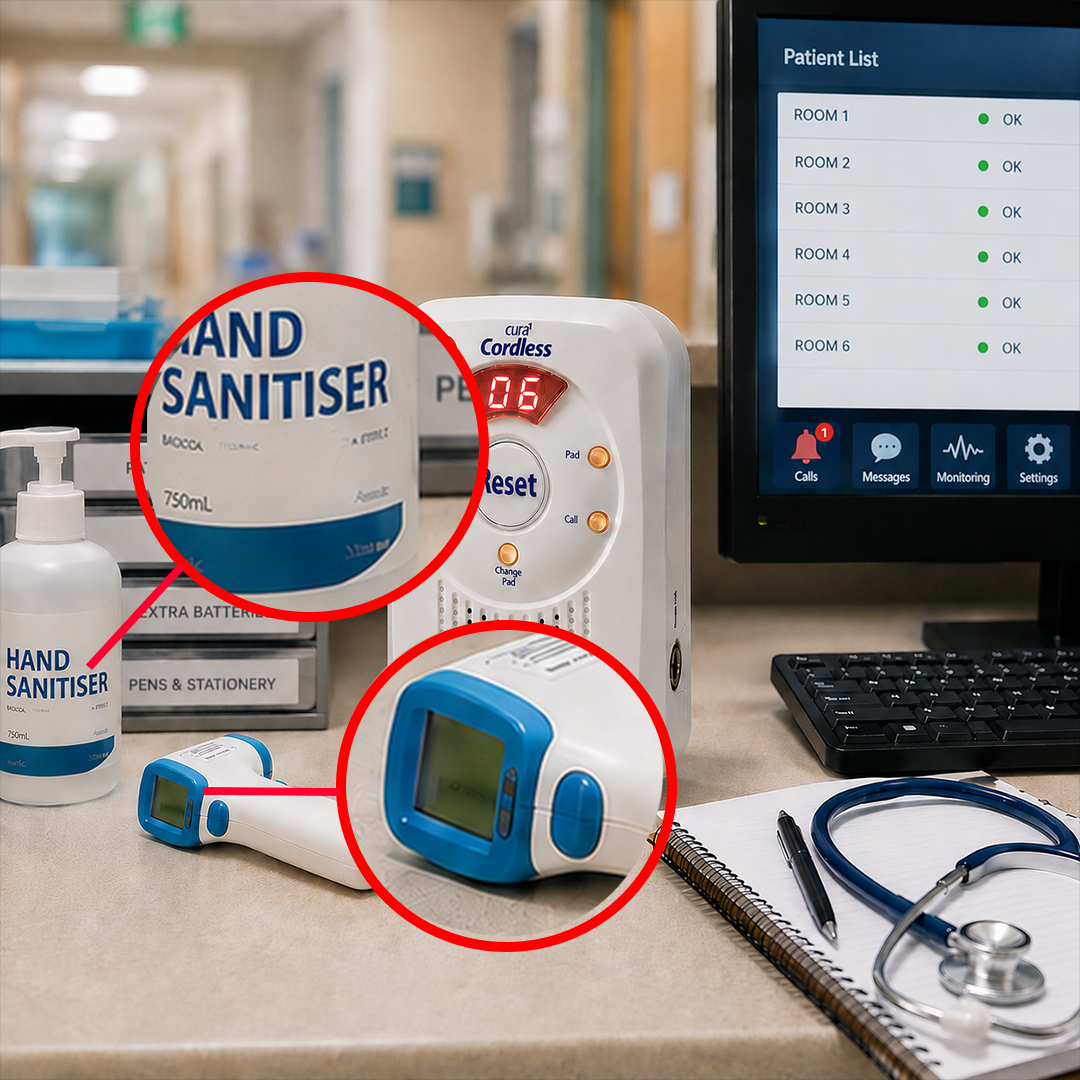
Raw AI Output
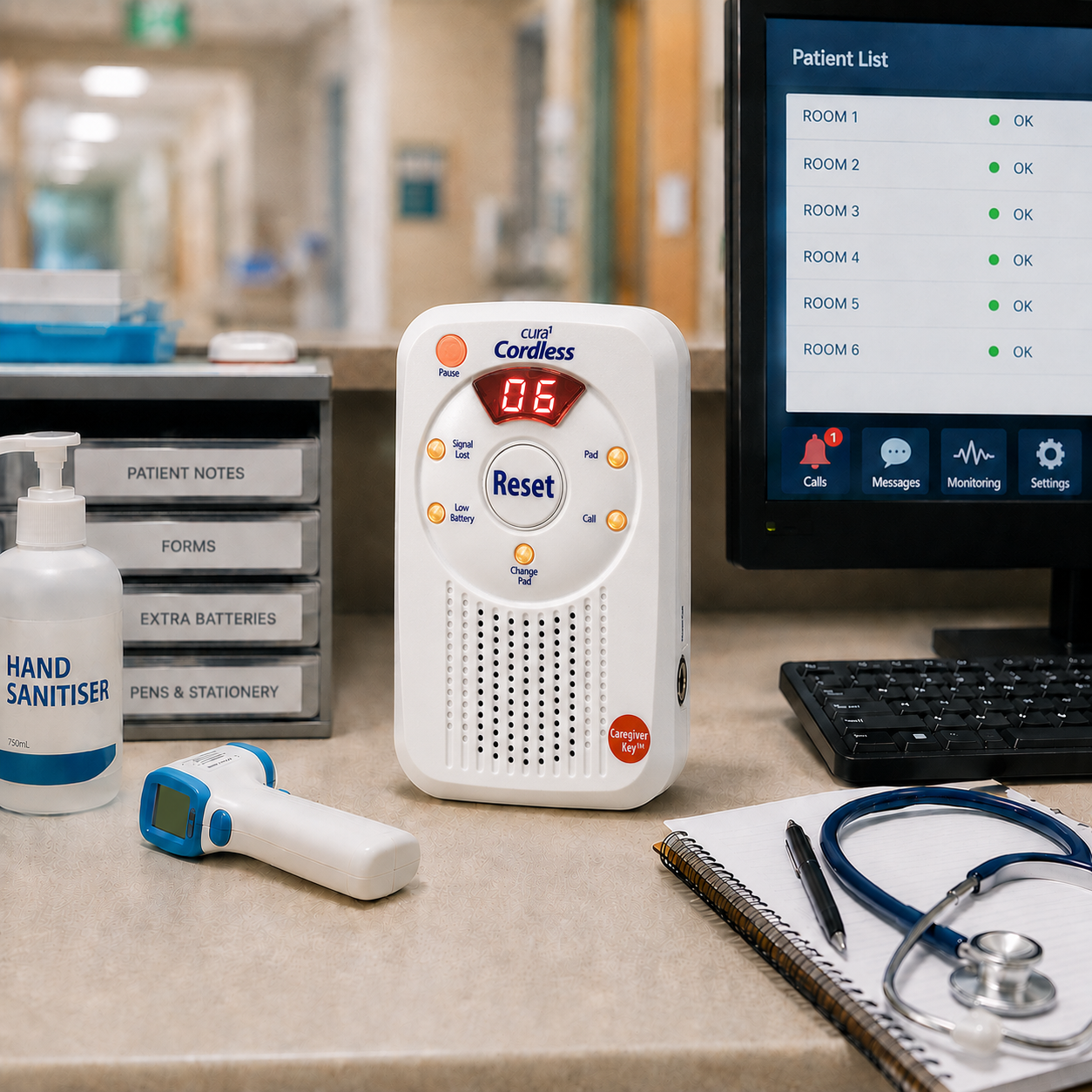
Photoshop Edit 1
At this point the image still had some issues. The render was noisy, which gave it the signature fuzzy look that a lot of AI image generators create. To resolve this, the Photoshop edit was taken into Figma Weave and an image upscale model designed to make images crisper was used to generate a less noisy image.
Despite this though, the image was too busy in regards to composition and it was difficult to know where to focus. Therefore, the device was masked in Photoshop and a Gaussian Blur was applied to the background which made the device the clear focal point. This also had the advantage of covering the residual noise that the upscaler wasn’t able to reduce.
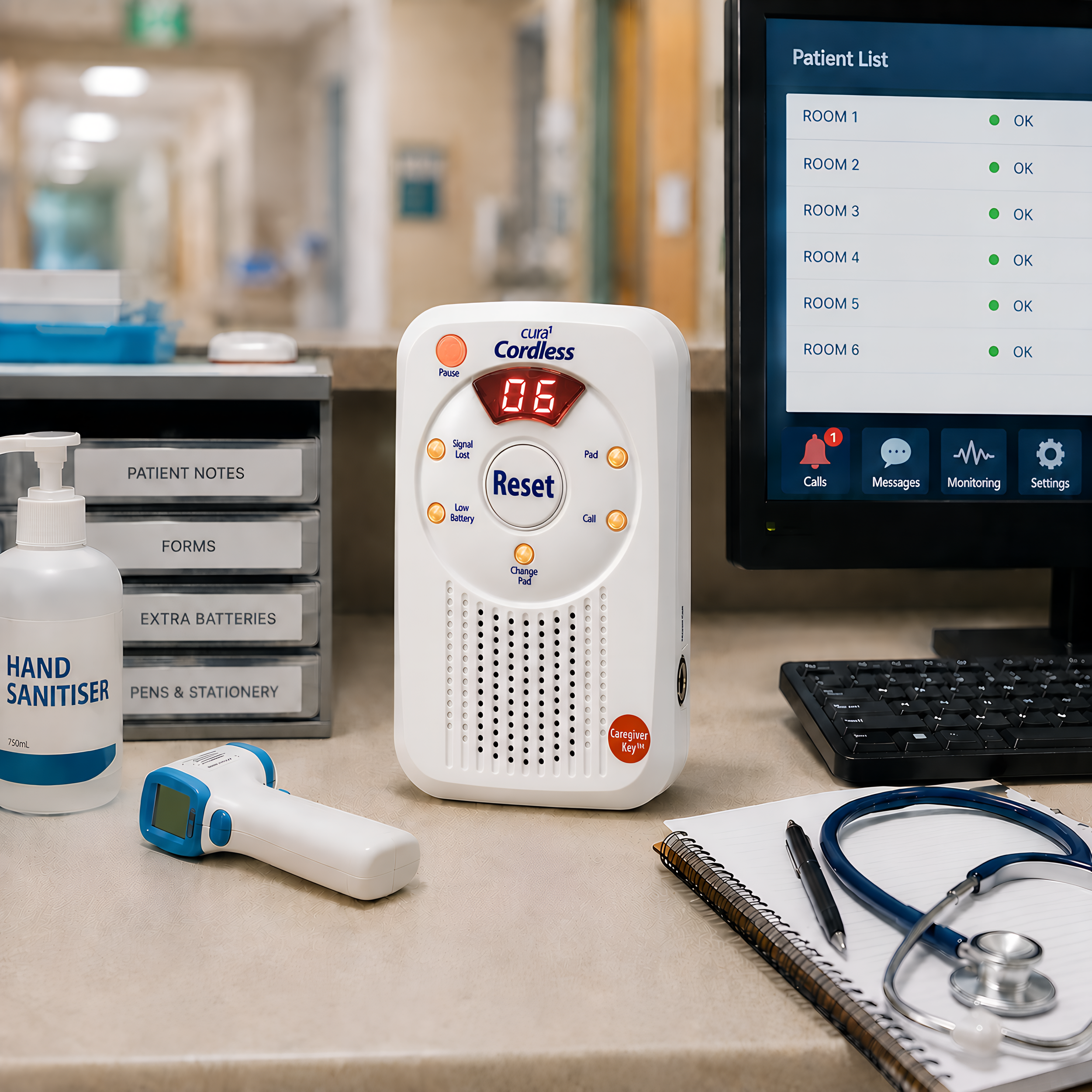
AI Upscaled Image
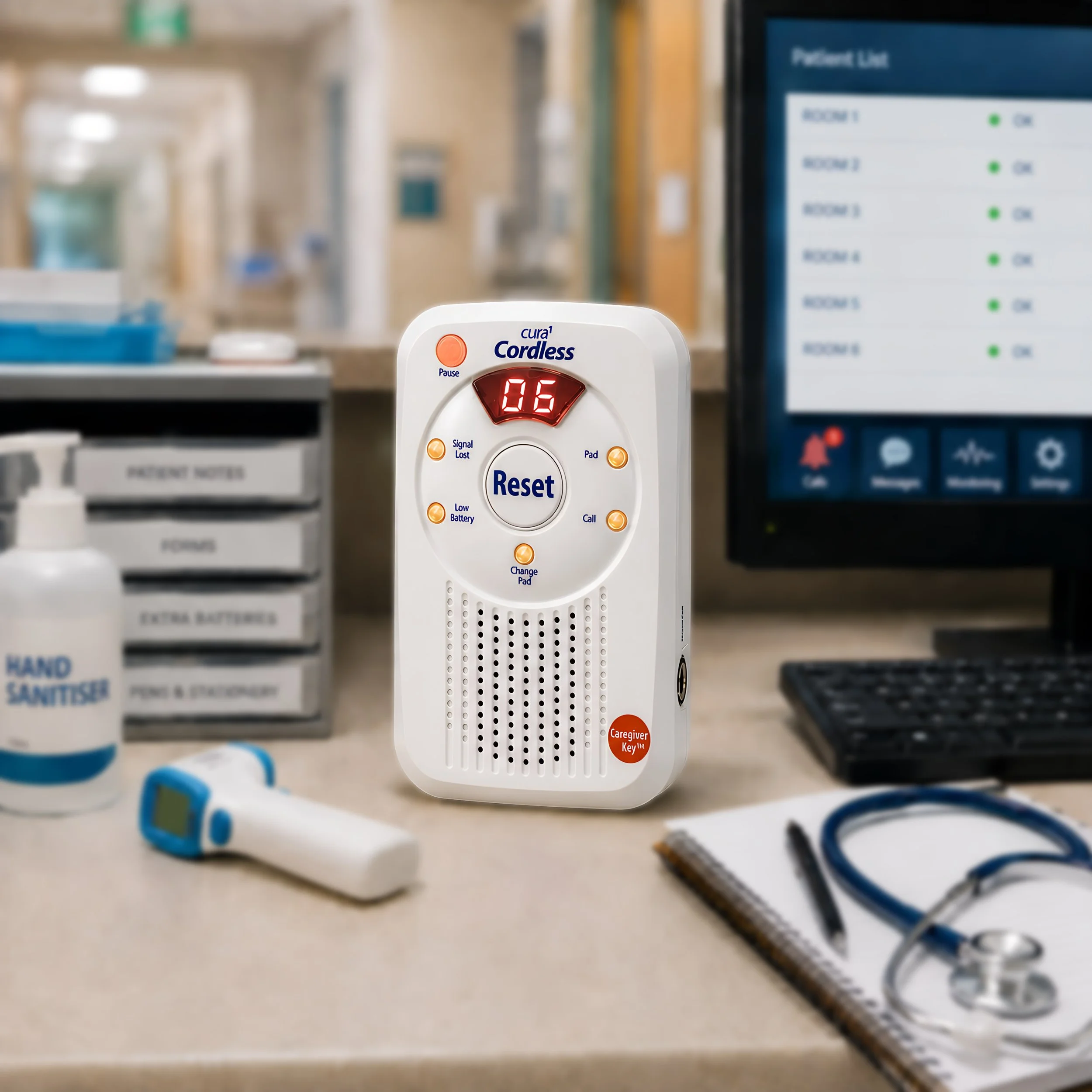
Final Photoshop Edit